
The home page
The home page is where you build and manage your operations. You can start creating a new operation, manage existing operations, and see your active operation usage.
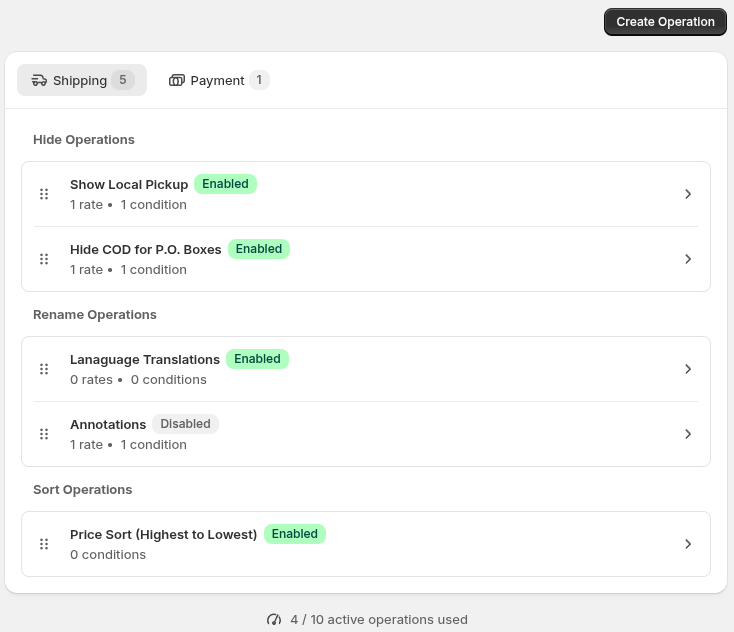
- Create Operation opens the form for starting a new operation.
- The tabs switch between Operation Categories.
- The operation type heading labels each group of operations for that type.
- An operation in the list. Click it to open its edit form.
- The drag handle indicator hints that the operations can be re-ordered. Drag the row reorder the operation within its group.
- The active-operation count, showing the total enabled operations against your plan’s allowance.
Operation categories
Section titled “Operation categories”Operation Categories are a grouping of different Operation Types - there is currently Shipping and Payment. Operations are logically separated by function or area of your Checkout - Operation Types in a category combine together.
Creating an operation
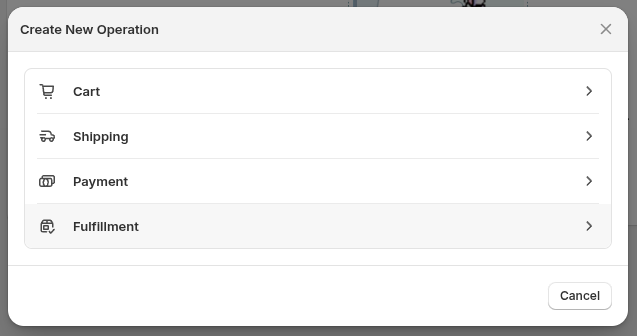
Section titled “Creating an operation”Click Create Operation to open the modal, then choose an operation category.
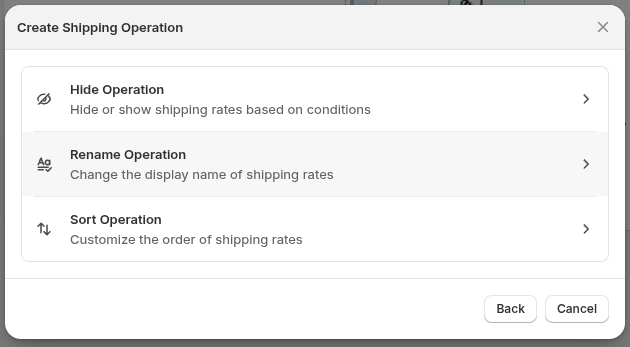
Next, choose an operation type. Selecting an operation type opens its creation form. See Operations to learn what’s inside it.
For a guided example, see Building your first operation.
Editing existing operations
Section titled “Editing existing operations”Click any operation in the list to open its edit form, where you can adjust its settings and conditions.
Operation lists
Section titled “Operation lists”Within each operation category, operations are grouped by type. A group appears when it contains operations. Drag a row within its own group to change its position; rows cannot be dragged between groups.
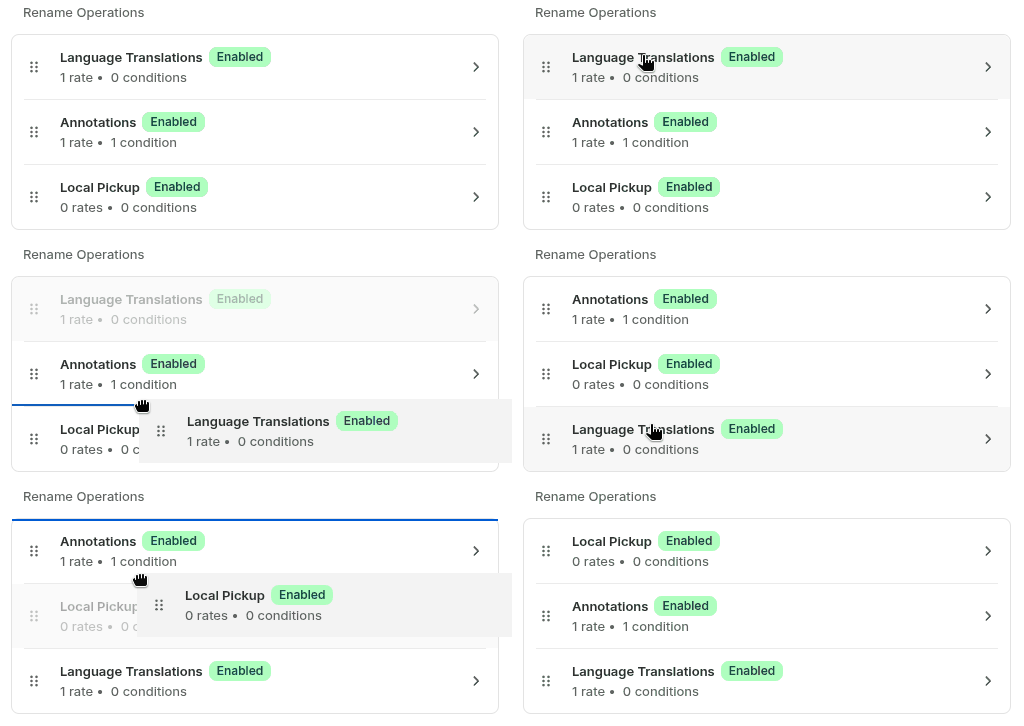
Operations execute in their group order, so changing that order can affect the result at checkout. See Order of operations when more than one operation affects the same checkout list.
Active-operation allowance
Section titled “Active-operation allowance”
The footer shows the shared count of enabled operations and the limit your plan allows. The allowance is shared across all operations; only Enabled operations count toward the usage limit.
When the count reaches the allowance, the home page shows an at-limit warning. Create Operation remains available, so you can still create an operation, but only in a Disabled state. The new operation is saved Disabled at capacity. To make it active, disable another operation or change your plan, then enable and save it.
See Active operations limit and Plans for the allowance details.