
Order of operations
Operations execute one after another, so an earlier operation can affect what a later operation sees. You can review and change the order within each operation type group on the same operation category from the Home page. Operations run in the order they appear there. Only Enabled operations affect checkout; disabled operations are not published and have no affect on surrounding operations.
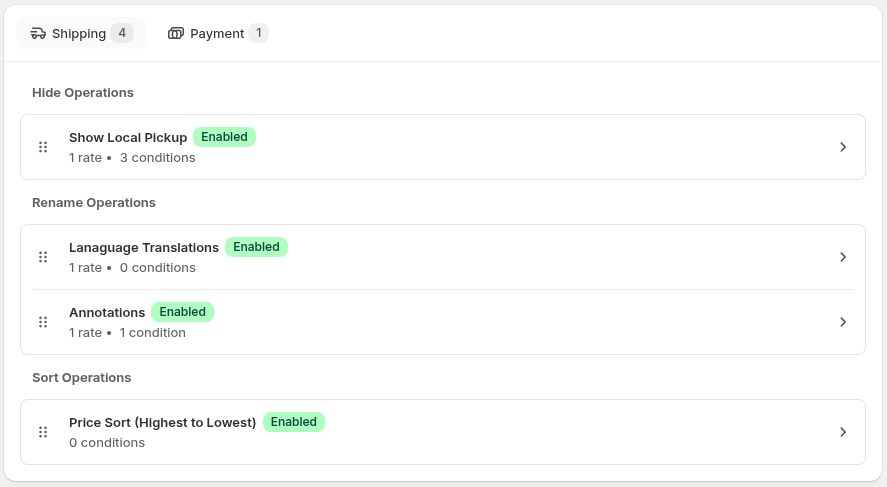
Each operation sees the cumulative result of everything before it.
Fixed type order
Section titled “Fixed type order”Within each operation category, the operation type groups appear in the fixed order shown on the Home page — for Shipping, that’s Hide, then Rename, then Sort. You cannot change the order of these groups. A Rename operation therefore sees the options left after Hide operations, and a Sort operation sees the names after Rename operations.
Changing operation order
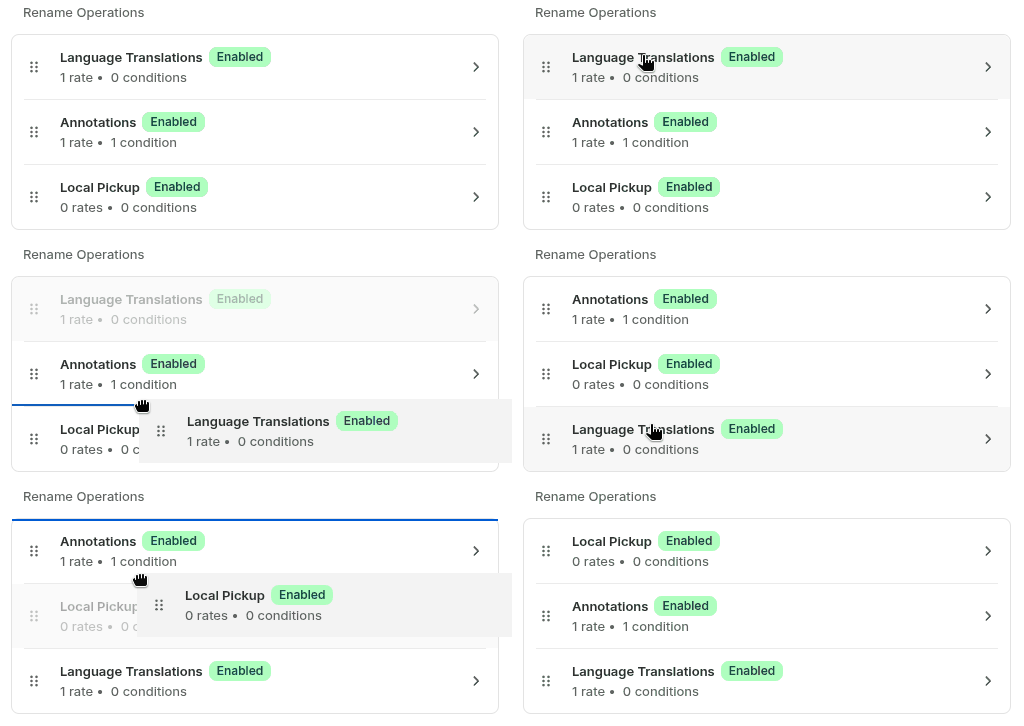
Section titled “Changing operation order”Within one operation type in one operation category, operations execute from top to bottom on the Home page. Drag rows to change their order. You can change order only within that same category/type group.
Why order matters
Section titled “Why order matters”Because operations run in sequence, what an upstream operation does can change what a downstream operation has to work with. See The home page for the drag-and-drop controls.
Rename Chaining Example
Section titled “Rename Chaining Example”Within the Rename group, a later operation sees the current name produced by earlier Rename operations. This lets one operation rename a value and another operation apply a later rename to that new value. If a shipping Rename operation changes Standard Shipping to Free Shipping, a later shipping Sort operation using Rate Name sorts by Free Shipping, not Standard Shipping.
Sort Ordering Example
Section titled “Sort Ordering Example”When multiple Sort operations use different criteria, the later operation determines the primary sort, and the earlier operation only breaks ties within it. Say a merchant first adds a Sort operation ordering by Rate Name (A–Z), then adds a second Sort operation ordering by Price (high to low). Because Sort operations run in the order they’re listed, Price becomes the primary sort and Rate Name only breaks the tie between the two $25 rates.
A shop starting with these rates, in no particular order:
Before
Section titled “Before”| Rate | Price |
|---|---|
| Ground | $10 |
| Priority | $25 |
| Express | $25 |
| Overnight | $40 |
| Rate | Price |
|---|---|
| Overnight | $40 |
| Express | $25 |
| Priority | $25 |
| Ground | $10 |